



As of May 2024, Microsoft has ended support for Xamarin. For many companies, this represents an opportunity: the time to migrate to .NET MAUI has come. This modern framework was built to simplify developers’ lives by unifying projects and making it easier to manage cross-platform apps. Where Xamarin.Forms required separate projects for each platform, .NET MAUI allows teams to maintain a single codebase, reducing both development and maintenance costs.
Stesi Srl has been a sponsor of 1nn0va for years, and at the .NET Saturday in Pordenone on 25 January 2025, our CIO Giovanni Silvestrin shared his recommendations for a smooth migration from Xamarin to .NET MAUI, highlighting the advantages of Microsoft .NET throughout the process.
Xamarin.Forms vs .NET MAUI: the differences
With the upgrade from Xamarin to .NET MAUI, Microsoft has simplified cross-platform development. Unlike Xamarin, which required separate projects for each platform, .NET MAUI allows everything to be managed from a single codebase. The framework offers simplified resource management, superior performance, and improved native support. Tools such as Hot Reload and new patterns (MVU and Blazor) further streamline the process, making .NET MAUI a strategic choice for reducing costs and improving app quality.
What to do before migrating from Xamarin to .NET MAUI: the checklist
Before starting a migration from Xamarin to .NET MAUI, it is important to work through a series of preliminary checks. Specifically:
- Verify your project’s compatibility with .NET MAUI.
- Get familiar with .NET MAUI and its tooling.
- Take a full backup of the current project.
- Plan a migration strategy, assessing timelines and risks.
- Update Visual Studio to the latest version.
- Prepare adequate testing environments.
- Review the UI/UX design and adapt it to the new .NET MAUI controls.
All the steps for a migration from Xamarin to .NET MAUI without hiccups
1. Create a new .NET MAUI project
Start by assessing the complexity of your Xamarin.Forms project and identifying any third-party libraries in use. Create a new .NET MAUI project as a reference point to understand how the final structure and configuration should look.
2. Update the project files
Modify the .csproj files to align them with the new .NET SDK format and update the target frameworks to include .NET MAUI (such as net7.0-android). Replace references from Xamarin.Forms to Microsoft.Maui.Controls and update NuGet packages to their MAUI equivalents.
3. Make the most important changes
.NET MAUI introduces several breaking changes. UI behaviour for grids changes noticeably, as does rendering behaviour for graphic controls, which should always be kept in binding to achieve the best results (while custom renderers are best replaced with the more performant handlers).
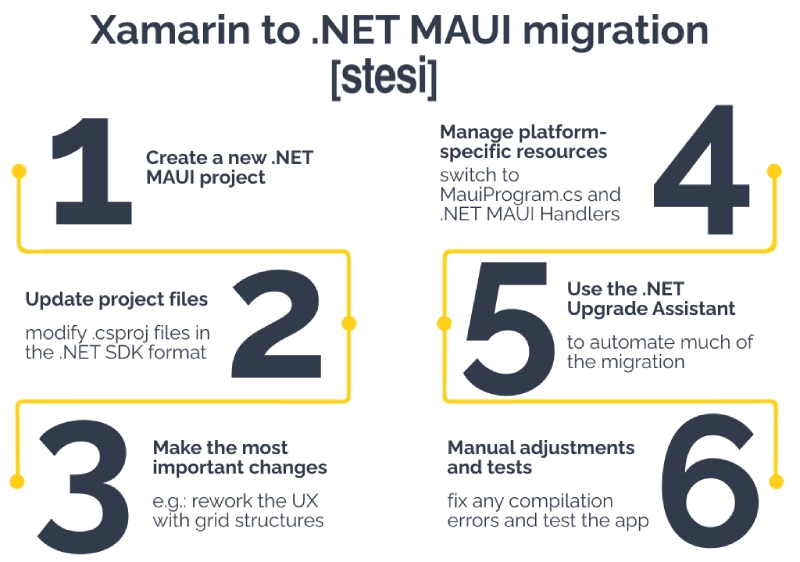
4. Manage resources and platform-specific features
Switch to MauiProgram.cs for resource management, updating how images, fonts, and other assets are handled. Platform API access should also be updated, moving from DependencyService to .NET MAUI Handlers.
5. Use the .NET Upgrade Assistant
The .NET Upgrade Assistant can automate a significant portion of the migration from Xamarin to .NET MAUI, handling the necessary updates and configurations. While some parts will still require manual intervention, this tool can save a considerable amount of time.
6. Manual adjustments and testing
After running the assistant, resolve any compilation errors and test across all supported platforms (Android, iOS, Windows, macOS) to ensure the app behaves as expected. Rebuild the project regularly and review any platform-specific code.
Manual or automatic migration? Pros and cons
The migration can be carried out manually or with the help of automated tooling.
- Manual migration: it takes more time, but gives you full control over every detail of the process. It is the ideal approach for complex projects that require specific adaptations.
- Automatic migration: tools like the .NET Upgrade Assistant can significantly simplify the process, updating files and dependencies automatically. It is well suited to less complex projects, or whenever the goal is to minimise transition time.
Match the migration approach to the complexity of your project and you will not go far wrong.
Pro tips for a stress-free migration
Bear in mind that some libraries or components may not yet be supported in .NET MAUI, so budget extra time for the research phase.
Overestimate your timelines as well: there will always be small issues that require fixes and cause delays. Make sure you also prepare your management team not to expect immediate results.
This is a migration that takes time before the first results become visible, and every step needs to be carried out with care.
Case study: silwa mobile reengineering
The evolution of enterprise applications has seen a significant transformation with the shift from dedicated operating systems such as Windows CE to more modern and performant platforms like Android and .NET MAUI. Stesi’s silwa mobile app went through this change first-hand.
silwa is the Supply Chain Execution System (SCES) developed by Stesi, combining the capabilities of a WMS (Warehouse Management System) and a MES (Manufacturing Execution System). It manages the entire logistics flow of goods within facilities, from goods receipt through to dispatch.
In the past, silwa was developed and maintained on Windows CE. The operating system was well suited to rugged devices and handheld warehouse scanners, offering stability and a long support lifecycle. Built in .NET Compact Framework with Visual Studio 2008 for Windows Embedded Compact 7 and later with Visual Studio 2012 for EC 8, silwa mobile leveraged Microsoft technologies to ensure stable updates and long-term compatibility.
With the rise of Android, however, the enterprise market dynamics shifted. From 2014 onwards, Android began gaining significant traction with the launch of Android Enterprise and the growing adoption of Android 7.0 Nougat-based terminals. By 2016, Android already held over 70% of the global mobile market (enterprise and consumer combined), making a new evolutionary phase for silwa mobile not just desirable but necessary.
The impact of the migration from Xamarin to .NET MAUI on silwa mobile
In 2020, Microsoft’s announcement of the end of support for Xamarin.Forms and the launch of .NET MAUI prompted Stesi to undertake a new migration of silwa mobile, this time to .NET MAUI, in order to keep the project aligned with emerging technologies and ensure a more efficient development cycle.
The key outcomes of the migration from Xamarin to .NET MAUI were:
Single project and multi-targeting: the migration made it possible to consolidate projects across different platforms (Android, iOS, Windows) into a single codebase, simplifying management and maintenance.
- More maintainable code: the unification of Renderers and the introduction of Handlers improved UI control management and reduced code complexity.
- Optimised asynchronous handling: the migration resolved app freeze issues through better management of asynchronous processes, which is critical for real-time data synchronisation, while maintaining sequential execution for operational functions.
- Replacement of third-party controls: some controls used in Xamarin were no longer supported or performant in MAUI, requiring replacement with native or custom alternatives.
- Revised resource and UI management: the overhaul of layout and resource handling also led to performance improvements, thanks to the introduction of more efficient grid-based layouts and better binding management.
Challenges overcome
During the migration process, Stesi’s development team had to tackle several technical aspects, including:
- App freezes and asynchronous management: migrating to .NET MAUI required a full review of asynchronous handling to prevent application blocks, which had been more frequent under Xamarin.
- Code and resource reorganisation: resources previously split across platforms were unified, making the codebase more modular and easier to maintain.
- Removal of obsolete controls: third-party controls that were no longer compatible were replaced with native solutions built into .NET MAUI.
- XAML layout revision: differences between Xamarin and MAUI in layout handling made it necessary to revisit the UI design, adopting new layouts or revising existing ones to improve the user experience.
Results achieved
The migration to .NET MAUI delivered a range of concrete benefits for silwa mobile, including:
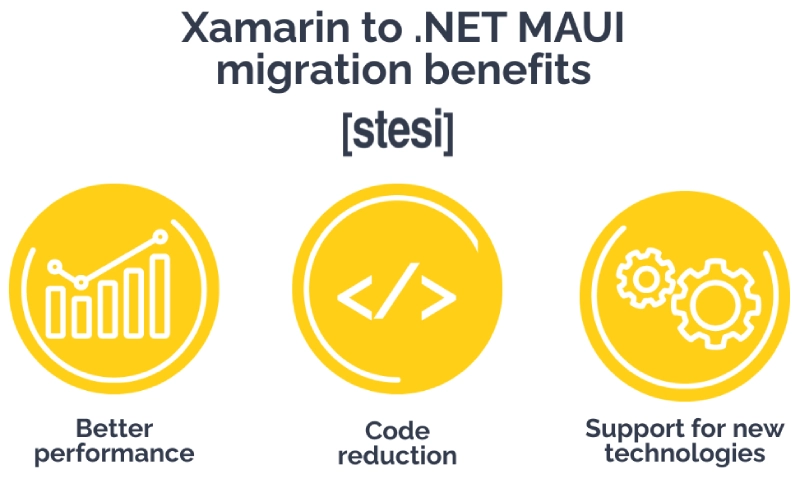
- Performance improvements: users experienced a more responsive and stable app, with reduced response times.
- Reduced codebase: simplifying the project lowered the number of lines of code required, improving maintainability.
- Support for new technologies: the adoption of .NET 6, support for the MVU pattern, and the use of Hot Reload 2.0 accelerated the development and debugging cycle, ensuring greater efficiency and flexibility at each new release or feature update.
FAQ: questions on migration from Xamarin to .NET MAUI
During the 1nn0va .NET Saturday, several questions came up regarding the migration from Xamarin to .NET MAUI and the use of Android devices in enterprise environments. Below are some of the most relevant questions and the answers provided by our CIO, Giovanni Silvestrin.
What method did you use to identify devices and manage licences on newer versions of Android, given that MAC address is no longer accessible via the APIs?
“We implemented a system based on Android Device ID with intelligent licence enable/disable logic.”
Have you ever encountered backwards compatibility issues with client devices running older versions of Android?
“Not so far. Enterprise Android device manufacturers generally bring to market devices that support more than one upgradeable or compatible version of the OS, making it possible to realign the operating system and the application with the latest technological advances.”
Would you, today, consider using third-party components to build an Android application from scratch?
“Given the capabilities that .NET MAUI provides natively, I would only recommend it in cases of specific requirements. In those cases, there are plenty of open source frameworks, continuously updated by the community and supported by large development teams, offering a wide variety of controls.”

Conclusion
Despite the end of Microsoft OS support in the mobile space, Visual Studio IDE still allows developers to build cross-platform applications for the most widely adopted platforms. This reduces both costs and the learning curve for companies migrating from Windows CE to Android via .NET MAUI, ensuring high performance and seamless integration in enterprise environments. Want to know more? Contact us.